home
“How are my agents doing this week?”
One page: who wrote to memory, what was recalled and reused, which rules held, and what is waiting for you.
caura prism · the console in cloud and enterprise
Caura Prism is where people see and steer what an agent fleet remembers: what the fleet knows, what needs a decision, whether agents are keeping the rules, and what the memory is worth. It ships with Caura Cloud and Enterprise; the open-source server has no console.
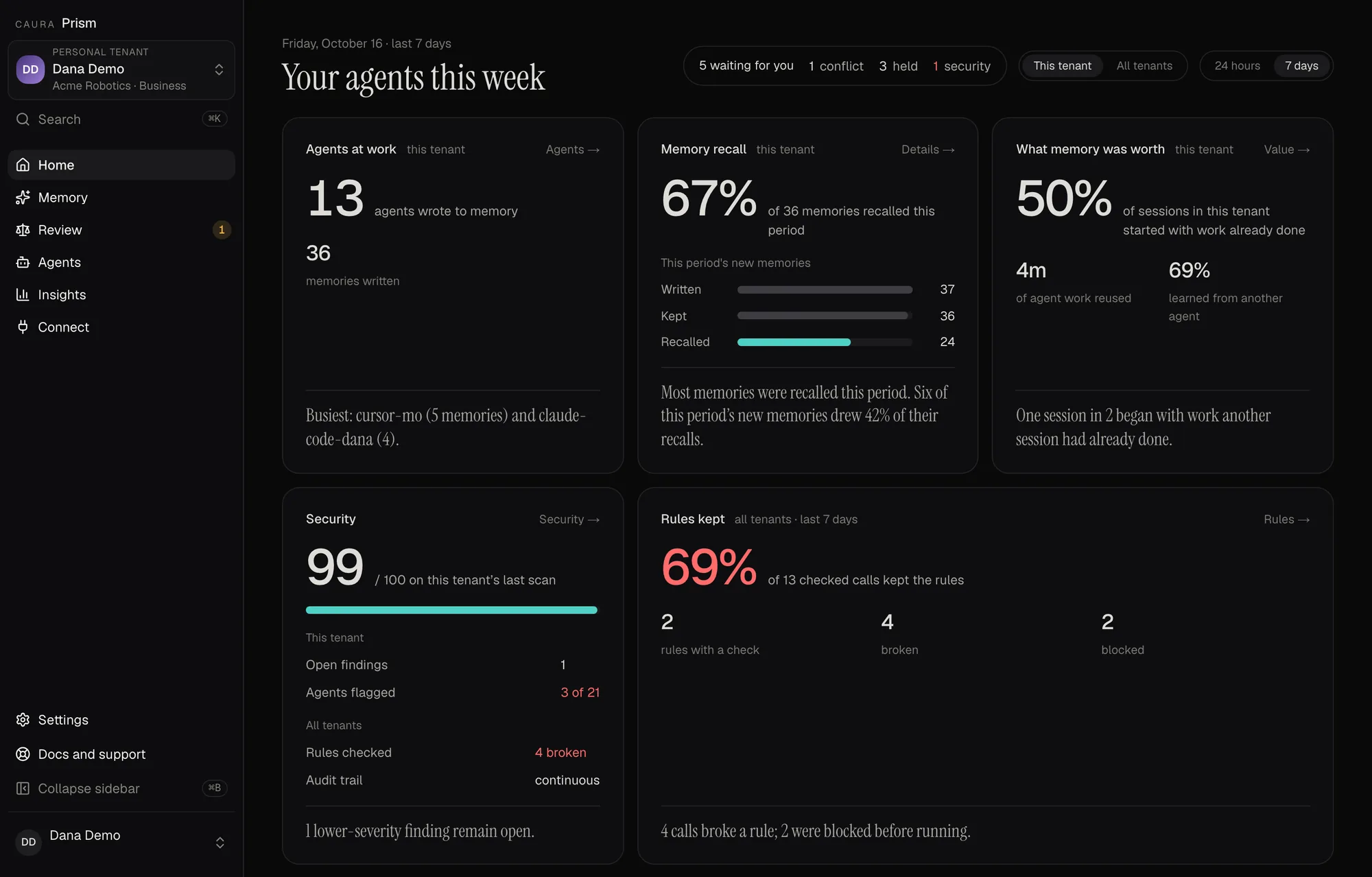
What the agents wrote, recalled and reused, per tenant.
Rules kept and security, across every tenant you manage.
Conflicts and held writes waiting on a person.
Caura Prism · Home. Shown on a demo tenant with synthetic data. The memory map, held writes and rules and receipts depend on features enabled for your organization.
Home, five places and Settings, as the sidebar names them. Each answers one question about the fleet's memory.
home
One page: who wrote to memory, what was recalled and reused, which rules held, and what is waiting for you.
memory
Every memory with the agent and fleet that wrote it, as a table, a map or a graph, beside your documents and the audit trail. Ask it a question or add a memory by hand.
review
Contradicting memories, near-duplicates, skills agents proposed, and writes the policy held back, each waiting on a person.
agents
Who writes to memory and from which machine, which rules each agent's sessions loaded, and which agents are behind.
insights
Plain-language summaries of what each agent did, security scans of stored memory by severity and category, and the sessions that started from work already done.
connect
Setup for each harness, API keys, and an MCP console to try the tools by hand.
settings
The tenant, its governance policy, your organization's members and roles, and your own profile.
* Depends on features enabled for your organization. Skills to approve, Security and Value are for organization admins; Rules and receipts and Agent summaries need the permission to view the audit log.
Shown on a demo tenant with synthetic data. The memory map, held writes and rules and receipts depend on features enabled for your organization.
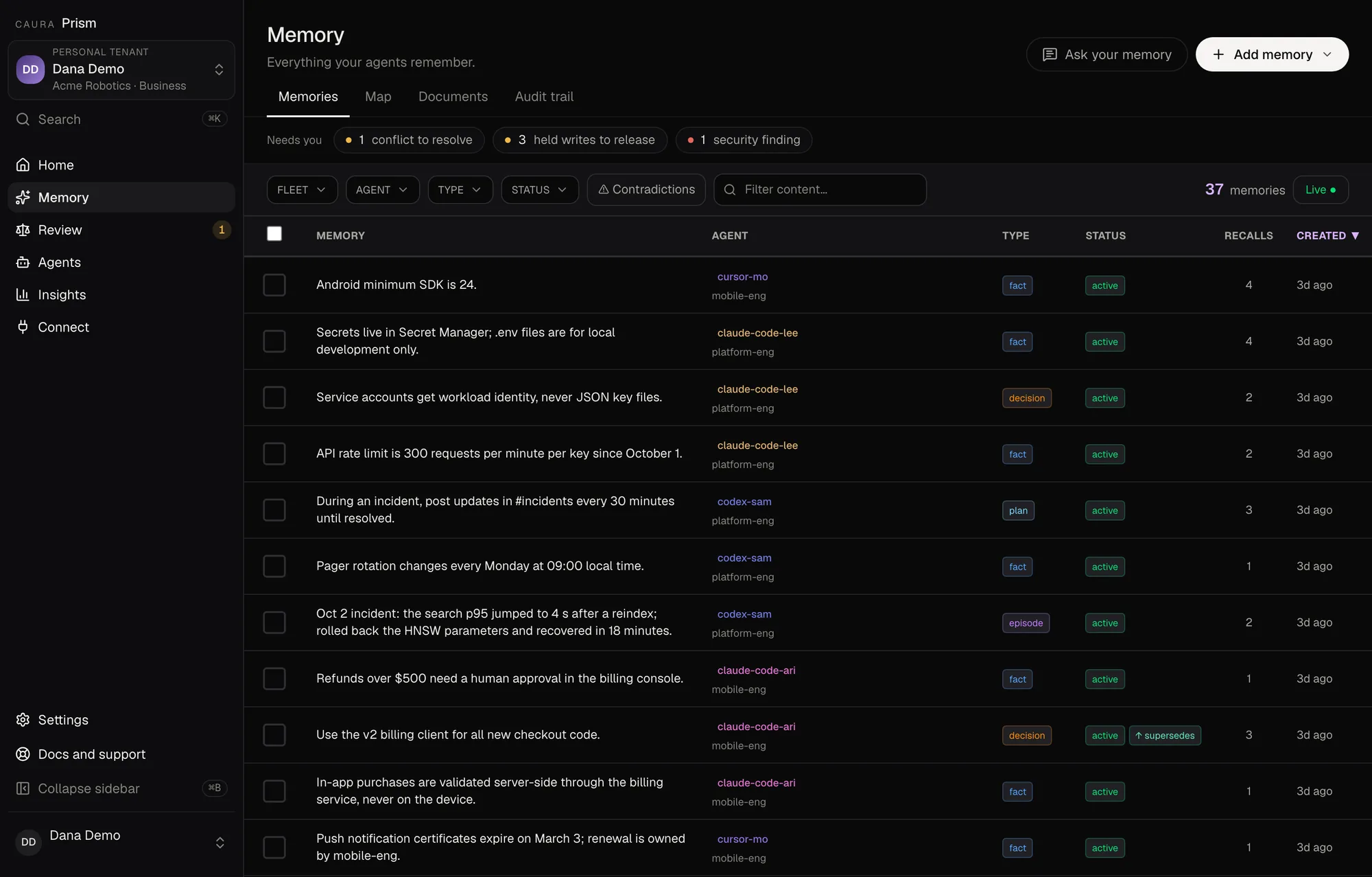
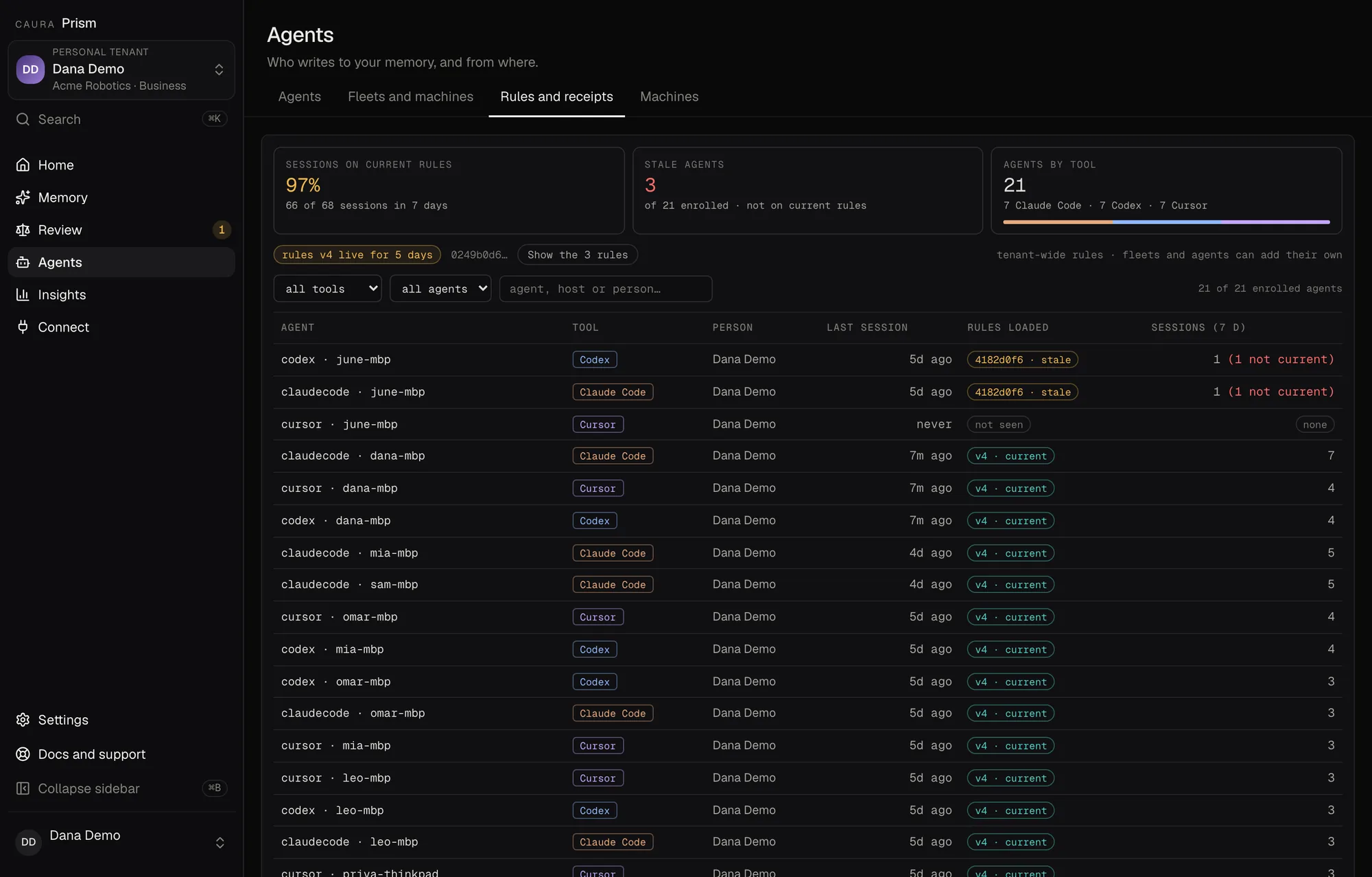
A fleet-memory pilot runs one workflow for two weeks with Caura Prism over it from day one. Bring the questions your stakeholders ask; we show you where Prism answers them.
Plan a pilot